Hloliwe. Kucinisekisiwe.Checked. Verified.

Every invoice checked, signed and ready for ERS.

Keep the accounting system you already use. Hloliwe connects it to ERS e-invoicing and shows your team the result of every invoice.

Run by Phones R Us (Pty) Ltd · Mbabane, Eswatini

Illustration with sample figures.

Watch real invoices become signed fiscal records

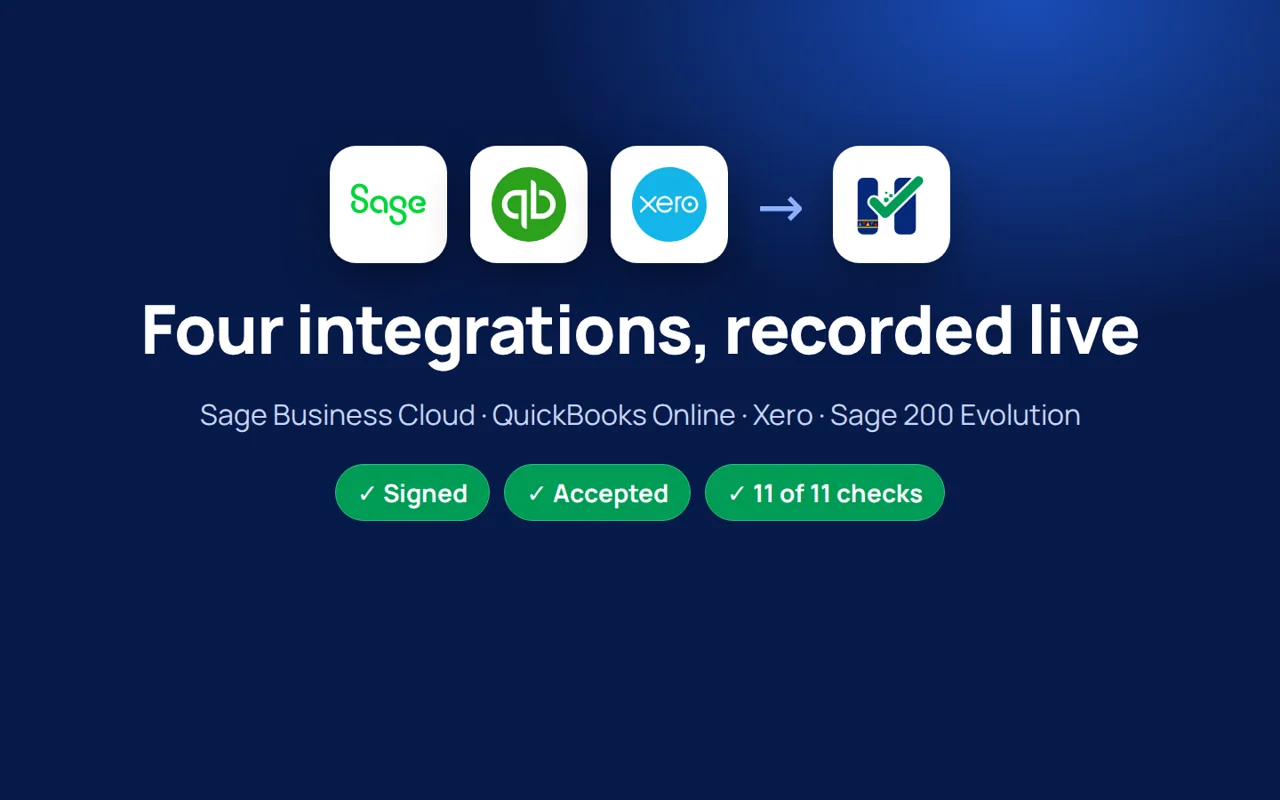
Short videos for Sage Business Cloud, QuickBooks Online, Xero and Sage 200 Evolution. Each one shows a sale entered in the accounting system, read by Hloliwe, signed and checked, with nothing typed twice.

What every fiscal invoice has to get right

The rules are specific. Hloliwe is built around them, from tax labels to buyer details and verification data.

Read the Eswatini requirements
  • 15%Standard VAT rate

    Each line needs the right tax label before the invoice is fiscalised.

    Source: ERS, VAT in Eswatini
  • 15daysLongest reporting window

    Fiscal data must reach ERS within fifteen days of the document, unless ERS sets a shorter period.

    Source: Fiscal-data Notice, July 2026
  • 3Buyer details on B2B invoices

    The buyer's TIN, name and physical address travel with every business-to-business invoice.

    Source: ERS Technical Guidelines
  • Verification on every invoice

    Printed invoices carry a scannable QR code; electronic ones carry a verification link.

    Source: ERS Technical Guidelines

E-invoicing changes the record behind the invoice.

An emailed PDF is not the whole fiscal process. Where ERS requires electronic fiscal devices, a transaction must pass through an authorised system, receive its fiscal identifiers and be reported in the prescribed way.

That affects the details your team captures. Business-to-business invoices need buyer information. Products and services need the required codes and units. Corrections need the right document type and a link to the original transaction.

ERS can introduce requirements by taxpayer category or sector. Check the notice that applies to your business before setting a changeover date.

Existing business record

Sale or invoice data

Customer and item records

Invoice delivery

Accounting records

Fiscal process adds

Controller-issued fiscal identifiers

Required buyer, item and tax information

Verification QR or link

Fiscal reporting and supporting records

The source record and fiscal record need to agree.

A fiscal invoice carries more than a total.

The ERS guidelines set out the information a fiscal document must carry. The controller provides fiscal identifiers and verification data; the invoice must show the details required for its transaction type.

Supplier and location

The supplier's tax identity and the business-location information returned by the controller.

Buyer details for B2B

The buyer's TIN, name and physical address, with the document identified as B2B.

Items and tax

Item descriptions and codes, quantities and units, tax-exclusive unit prices, taxable amounts and the applicable tax labels. The invoice also shows its tax and total amounts.

Payment and document type

The payment method and whether the transaction is a sale, refund or another prescribed document type. Adjustments need the required reference and explanation.

Fiscal identifiers

The controller's invoice number, fiscal time and invoice counter.

Verification

A scannable QR code on the printed invoice, or the verification link for electronic delivery, as the guidelines prescribe.


What makes an invoice fiscal
FISCAL INVOICE1

Sample Trading

Main store · Mbabane
1 Sample Street, Hhohho
TIN 000000000

Cashier 01
POS SAMPLE01 / 1.0
2
NORMAL SALE3

Office equipment (A)
Item code EQ-001 · Unit: each · Quantity: 1

Unit price excl. VATE 10,000.00
Taxable amountE 10,000.00
Unit price incl. VATE 11,500.00
Line totalE 11,500.00
A · VAT 15%
Total tax: E 1,500.00
4
Total purchaseE 11,500.00
Payment: cardE 11,500.00
SDC metadata5

10 November 2026 · 10:42:00
00000000-00000000-42
Invoice counter: 42/42NS

QR / verification URL
Digital signature in QR data
6
END OF FISCAL INVOICE
  1. 1
    Supplier and fiscal title

    Supplier TIN, company, store, address and district come back from the SDC. The title marks the start of the fiscal part.

  2. 2
    Cashier and POS identity

    Cashier identification and POS accreditation number / product version. Buyer TIN is required for B2B and cancellation, not this ordinary sale.

  3. 3
    Transaction and item detail

    Normal Sale; item name, tax label, quantity, unit, item code, tax-exclusive unit price and taxable amount. Include GTIN where available.

  1. 4
    Tax, payment and total

    Tax label, VAT rate, tax value, taxable amount, total tax, total purchase and payment method. Tax values are returned by the SDC.

  2. 5
    Fiscal metadata

    SDC time is the official fiscal time. The SDC invoice number combines RequestedBy, SignedBy and ordinal number; the SDC also supplies the invoice counter.

  3. 6
    Customer verification

    A printed QR contains the verification URL, internal data and digital signature. Minimum print size: 42 × 42 mm. An electronic invoice uses a clickable verification URL instead.

Example invoice. Refunds and copies also carry the original invoice reference. Business-to-business invoices add the buyer’s TIN, name, address and invoice category. Source: ERS Technical Guidelines §7.6.1 pp. 23–25; §§10.1–10.3 pp. 50–55.

From your invoice to its fiscal record.

Every document follows the same path.

  1. Start in your business system

    Your accounting package or till holds the transaction details. The connection needs to identify the correct document, business location and tax treatment.

  2. Prepare the fiscal data

    Hloliwe maps the source record to the controller's required fields, including the buyer and item details needed for that document type.

  3. Use the fiscal controller

    The approved Sales Data Controller works with the ERS-issued Secure Element to fiscalise the transaction. It supplies the fiscal invoice details and verification data.

  4. Keep the result with the document

    The invoice output must preserve the controller's fiscal information. The business needs a clear record of the result and any errors requiring attention.

  5. Follow reporting separately

    The controller sends fiscal data to ERS. Fiscal signing, delivery to the customer and reporting to ERS are separate events.

From your system to the fiscal record
Proposed invoice architectureYour business system: Accounting / ERP or till / POS. Creates the source transaction. Hloliwe connector: Picks up the source document. Preserves its revision. Hloliwe cloud: Validate · prepare · queue. Retry only when safe. Sales Data Controller: V-SDC: virtual, online. E-SDC: external, local option. ERS.EIS back end: Receives fiscal data from SDC. Reporting is tracked separately. Fiscal response → customer: SDC invoice no + verification URL. QR on paper; link electronically. Your business system connects to Hloliwe connector. Hloliwe connector connects to Hloliwe cloud. Hloliwe cloud connects to Sales Data Controller. Sales Data Controller connects to ERS.EIS back end. Sales Data Controller connects to Fiscal response → customerYour business systemAccounting / ERP or till / POSCreates the source transactionHloliwe connectorPicks up the source documentPreserves its revisionHloliwe cloudValidate · prepare · queueRetry only when safeSales Data ControllerV-SDC: virtual, onlineE-SDC: external, local optionSDC + Secure Element signERS.EIS back endReceives fiscal data from SDCReporting is tracked separatelyFiscal response → customerSDC invoice no + verification URLQR on paper; link electronicallyHloliwe portalSource document and fiscal resultDelivery status and any exceptionsProposed invoice architectureYour business system: Accounting / ERP or till / POS. Creates the source transaction. Hloliwe connector: Picks up the source document. Preserves its revision. Hloliwe cloud: Validate · prepare · queue. Retry only when safe. Sales Data Controller: V-SDC: virtual, online. E-SDC: external, local option. ERS.EIS back end: Receives fiscal data from SDC. Reporting is tracked separately. Fiscal response → customer: SDC invoice no + verification URL. QR on paper; link electronically. Your business system connects to Hloliwe connector. Hloliwe connector connects to Hloliwe cloud. Hloliwe cloud connects to Sales Data Controller. Sales Data Controller connects to ERS.EIS back end. Sales Data Controller connects to Fiscal response → customerYour business systemAccounting / ERP or till / POSCreates the source transactionHloliwe connectorPicks up the source documentPreserves its revisionHloliwe cloudValidate · prepare · queueRetry only when safeSales Data ControllerV-SDC: virtual, onlineE-SDC: external, local optionSDC + Secure Element signERS.EIS back endReceives fiscal data from SDCReporting is tracked separatelyFiscal response → customerSDC invoice no + verification URLQR on paper; link electronicallyHloliwe portalSource document and fiscal resultDelivery status and any exceptions
Proposed ERS integration. The SDC and its Secure Element perform fiscal signing; the cloud queue does not create a fiscal invoice. Controller fiscalisation, ERS reporting and delivery are separate stages. Source: ERS Technical Guidelines §§1.11, 7.6.1–7.6.2; technical alignment review, 28 October 2026.

Start with the system you already use.

Each connection is built for a specific product. The exact version and document types matter, so we confirm them in your setup review.

QuickBooks Desktop and other Sage products need their own assessment.

Keep the system your business knows
Sage200 Evolution
Integration Ready

Hloliwe picks up finished invoices and credit notes from the Evolution database, including till sales. Cashiers and accounts staff work exactly as before.

Reads
Invoices, credit notes, till sales and returns
Connects
A small connector on your Evolution server
You keep
Your Evolution set-up, tills and month-end routine
QuickBooksOnline
Integration Ready

Once an administrator approves the connection, Hloliwe picks up new invoices and sales receipts from your QuickBooks company and returns each fiscal result.

Reads
Invoices and sales receipts
Connects
Intuit's own sign-in and approval screen
You keep
QuickBooks as you use it today
XeroCloud accounting
Integration Ready

Hloliwe picks up approved sales invoices from your Xero organisation, with only the permissions it needs, and returns each fiscal result.

Reads
Approved and paid sales invoices
Connects
Xero's own sign-in and approval screen
You keep
Your Xero approval workflow
Sage, QuickBooks and Xero are trademarks of their owners, shown to identify compatible software. Using other software? Tell us the product and version.

Tell us where your invoices begin.

Every business starts its invoices somewhere different. Tell us yours, and the setup review covers what matters for your trade.

Request a setup review
  • Retailers and wholesalers

    Talk to us about your tills, accounting package and the information on each sale or B2B invoice.

    We’ll ask about

    • Till or POS system
    • Accounting package
    • Business invoices
  • Pharmacies, hardware and fuel businesses

    Share the software you use and the product codes, units and tax treatment it records. We will review the connection your setup would need.

    We’ll ask about

    • Product codes and units
    • VAT treatment
    • Software version
  • Hospitality and professional services

    Tell us how you bill customers, take payments and correct invoices. The source system and document types will guide the review.

    We’ll ask about

    • How you bill
    • Payments taken
    • Corrections and credit notes
  • Businesses with several branches

    List the locations and tills involved, including where invoices are raised and who follows up processing errors.

    We’ll ask about

    • Locations and tills
    • Where invoices start
    • Who follows up errors

Your team sees every result

The Hloliwe client portal shows what happened to each invoice after it left your accounting system.

  • Every document, with its result

    Search by invoice number or system and see whether each one was accepted, rejected or is still waiting.

  • Problems explained, with the next step

    A rejected invoice shows the reason and the safe action to take, so your team fixes the source rather than guessing.

  • Day close and connections in one place

    Check that each till and accounting connection is healthy and that the day's records are complete.

Client portal at app.hloliwe.com, shown with sample records.

app.hloliwe.com/documents
Portal document register listing invoices from Xero and QuickBooks Online with accepted, rejected and waiting results

Plan for interrupted connections.

A source document waiting to be sent is different from a fiscal invoice already signed by a controller.

Hloliwe's queue stores pending work and retries eligible submissions. If a document needs attention, later work on the same device is held rather than pushed past it.

Under the ERS framework, an approved external controller can fiscalise offline with its Secure Element and store the fiscal data for later reporting. The controller's capacity and audit rules still apply. Hloliwe works alongside that controller rather than replacing it.

The July 2026 Notice requires successful transmission within fifteen days of the fiscal document's creation, unless ERS prescribes a shorter period. Reporting should resume as soon as the approved setup permits.

During your setup review, we will ask about power backup, internet access and the controller arrangement your business needs.

A connection loss is not a fiscal outcome
01Connected

Send and check the result

02Connection interrupted

Keep unsent data securely

03Catch-up

Reconcile, then catch up

04Connected again

Resume transmission after reconnection

Illustrative sequence, not measured performance. No elapsed-time scale.

Rules for delayed transmission

Within 15 days

Successfully transmit from fiscal document creation.

Unless ERS prescribes a shorter period. Real-time transmission remains the rule where available.
At least 5 minutes

Between the start of two E-SDC Proof of Audit cycles.

Keep audit data locally until Proof of Audit arrives.
Device-specific capacity

The supplier must document estimated offline invoice storage.

No universal invoice-count limit is stated here. E-SDC clock synchronisation is required at least every 48 hours.

Hloliwe recovery must distinguish a known transport failure from an unknown fiscal result. An unknown result pauses processing for reconciliation; it is not blindly retried.

Proposed recovery behaviour; local offline fiscalisation requires an approved E-SDC and Secure Element. A queued source document is not a fiscal invoice. Power loss can stop issuing; persistent storage protects already stored data, not continued operation without power. Sources: Public Notice §9; Technical Guidelines §7.6.2 pp. 28–34.

Control access to your business records.

Two-step sign-in

The client sign-in checks a password and an authenticator code.

Tenant-scoped database access

PostgreSQL row-level policies restrict access to records within the authorised business context.

Separate staff access

Staff administration sits behind Cloudflare Access. Staff API requests also check an Access token.

Audit records

The platform records audit events. Database controls prevent ordinary updates or deletion of audit-event entries.

The client portal is at app.hloliwe.com. It shows each document with its processing result and any errors your team needs to fix.

  1. Two-step sign-in

    Every client user signs in with a password and an authenticator code.

  2. Your records only

    Database policies keep each business inside its own records.

  3. Checked staff access

    Hloliwe staff tools sit behind a separate access gateway, and each staff request is checked again.

  4. Audit records that cannot be edited

    Events are written to an audit log that ordinary updates and deletions cannot change.

Each layer is checked on its own, so one control never stands alone.

For ERS reviewers

Review the requirements against the implementation.

The ERS guidelines cover the product version and its fiscal behaviour, supported by technical and administrative evidence. Our preparation separates platform controls from work that needs controller integration and fiscal testing.

Guideline areaIn Hloliwe todayNext step for accreditation
Product and deployment descriptionCloud bridge scope and accounting-connector test recordsAgree the POS component boundary and exact product version.
Access and record protectionMulti-factor sign-in, tenant database policies and protected audit-event recordsAssemble the security evidence for the submitted product.
Interrupted processingPersistent queue with ordered retriesProve the chosen controller's continuity and audit path.
Required invoice dataSource-system connection workComplete and test the Eswatini buyer, item, currency and adjustment mappings.
Fiscal invoice output and verificationDocument-interface designPreserve and render the controller's response, fiscal identifiers and verification data.
Technical and administrative review materialsInternal requirement mappingComplete the manuals, required fiscal examples and signed conformity documents.

ERS assesses the fiscal components and their behaviour. General platform controls do not replace the controller's Secure Element, fiscal signing or audit requirements.

ERS accreditation pending.

Hloliwe is going through accreditation with the Eswatini Revenue Service under the 2026 Technical Guidelines. We will publish our ERS approval reference here once it is granted.

  1. Platform and client portal

    Live at hloliwe.com and app.hloliwe.com

    Complete
  2. Accounting connections

    Recorded working with four accounting systems

    Complete
  3. ERS accreditation

    In progress under the 2026 Technical Guidelines

    In progress
  4. Approval reference

    Published here once ERS grants it

    Next

Questions before you connect.

1. Do I have to replace my accounting system?

Start with a review of your exact product and version. Hloliwe's connection work is based on keeping the source system, but compatibility depends on the software and document types involved.

2. Which systems do you connect to?

Sage 200 Evolution, Sage Business Cloud Accounting, QuickBooks Online and Xero are integration ready. Using other software? Tell us the product and version and we will confirm the connection.

See connection status
3. Does e-invoicing apply to my business now?

ERS can set requirements and dates by category, sector or notice. Check the direction that applies to your taxpayer account with ERS or your tax adviser. The Notice's legal start date does not, by itself, establish your changeover date.

4. Is a PDF invoice enough?

A PDF can display an invoice, but it does not by itself establish fiscalisation or reporting. Where an EFD is required, the approved fiscal process and required information matter.

5. What happens when the internet goes down?

A source queue can hold work for later processing. Offline fiscal issuance needs the approved controller and Secure Element arrangement, with its storage and reporting rules. We will review that requirement with your setup.

Plan for interrupted connections
6. How does the customer verify a fiscal invoice?

The controller supplies verification data. The ERS guidelines prescribe a scannable QR on printed invoices or a verification link for electronic delivery.

7. What about credit notes and invoice errors?

The rules distinguish refunds, credit notes, debit notes and cancellations. The document needs the required references and reasons. Cloud credit-note mapping is still being completed, so document support must be checked during the setup review.

8. Will Hloliwe file my VAT return?

VAT-return filing is outside the current product scope. Your business remains responsible for its return and supporting records.

9. What information do you need for a quote?

Tell us your accounting or POS product and version, branch and till count, the document types you issue and your approximate invoice volume. Include any power or connectivity needs.

10. Does requesting a quote activate fiscal submissions?

No. It starts an enquiry about your setup. Account access and fiscal activation are separate steps.

ERS preparation status

Price on request

A quote based on your setup.

The connection work depends on the system you use, the number of locations and tills, and the documents your business needs to issue.

Tell us what is already in place and what needs to change. Ask for a written scope that separates connection work from ongoing service and support.

Your systemsYour locationsYour document needsService and support

Bring us the system you use today.

Tell us where invoices are created and what your team needs to keep working. We will review the connection and explain the next steps.

Request a quote